
Platform features
What is in the Rotanis platform? Real screens of the platform, from the live map and route history to reports and fleet costs.
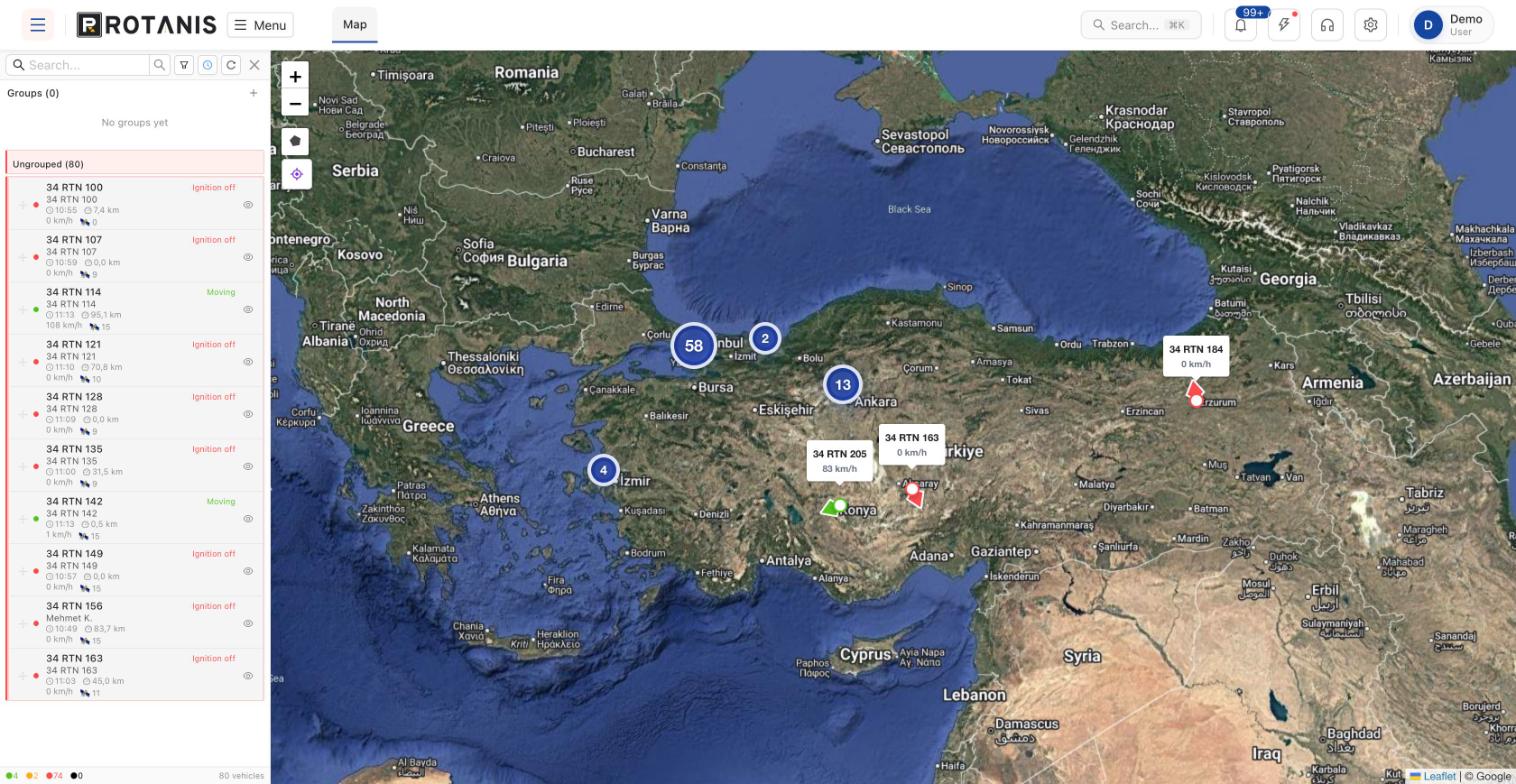
Live tracking and map
All vehicles on one map. Click a vehicle to open a card with its current speed, daily distance, total mileage, satellite count and last location.
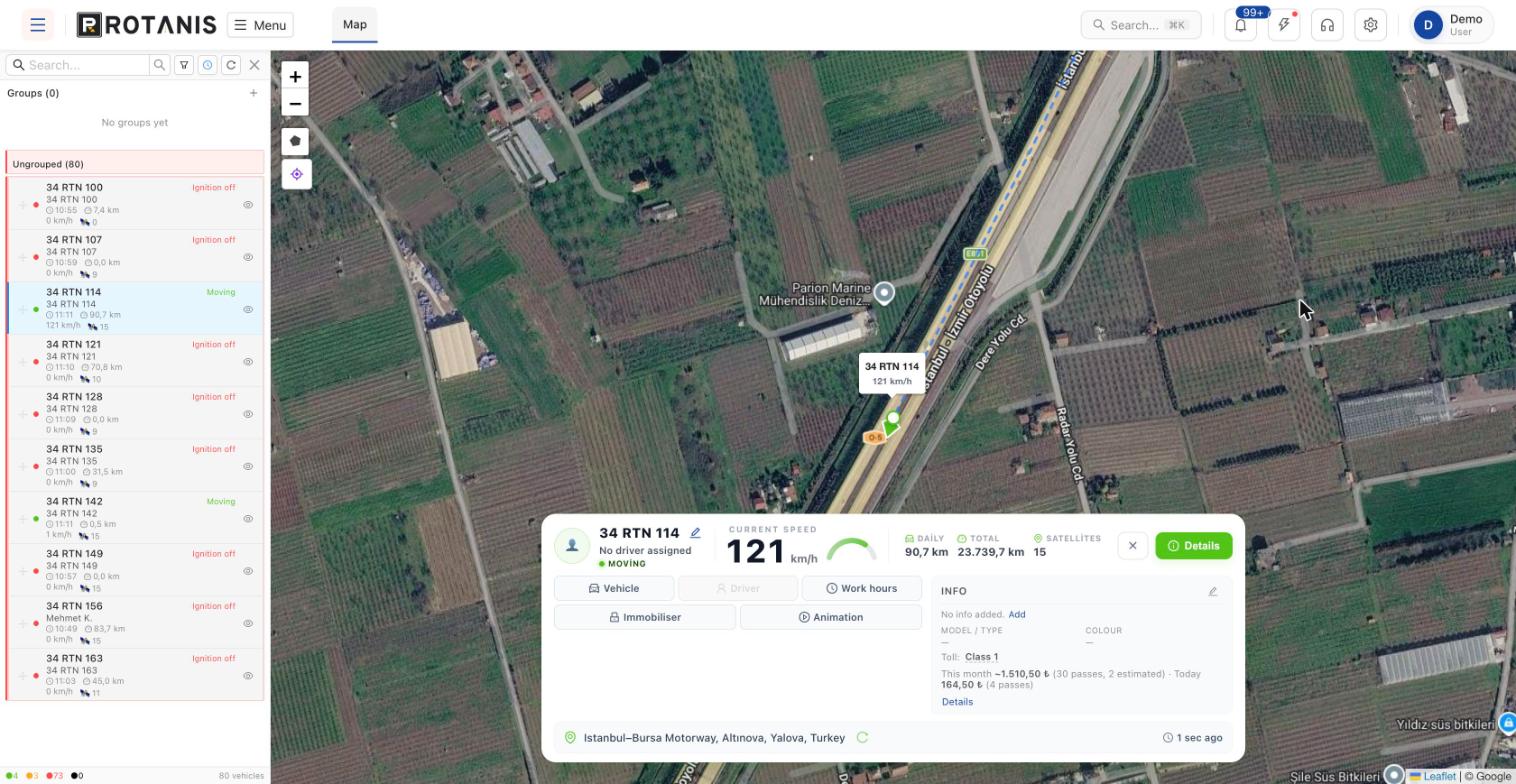
Live map
Current location, speed and ignition status of vehicles; satellite or road map.
Vehicle card
Speed gauge, daily and total km, satellite count and last update time.
Vehicle groups
Create your own groups such as rented, in service or idle vehicles.
Status filters
List online, offline, idling and ignition-off vehicles separately.
Toll estimate
This month’s HGS motorway toll passes and estimated fee on the vehicle card.
Immobiliser
The option to block the vehicle from the platform on compatible devices.
Route history and trips
Replay the route for a selected vehicle and date range on the map and see a summary of distance, top speed, ignition time, idling and speeding.
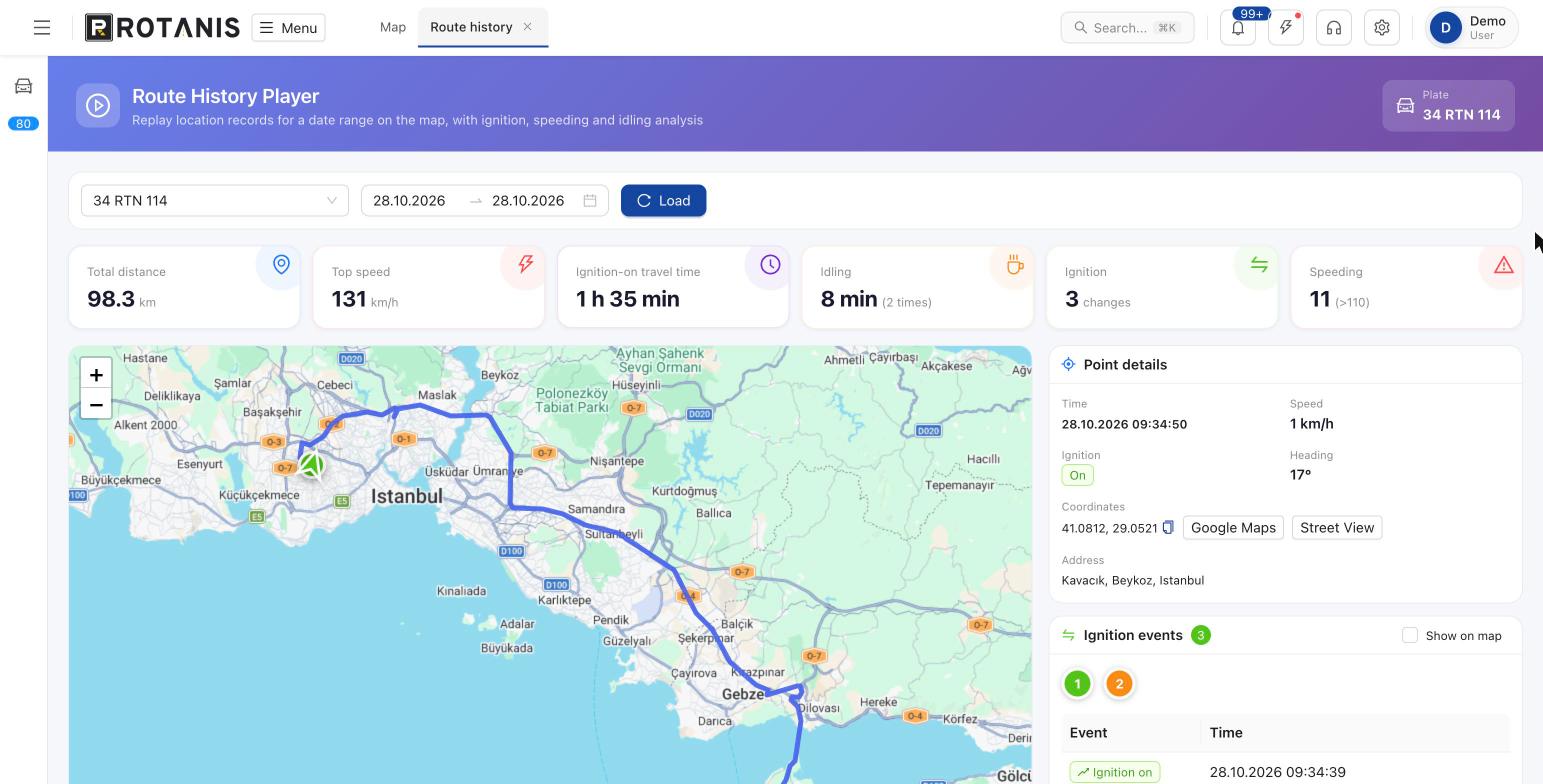
Route player
Follow location records step by step on the map.
Driving summary
Total distance, top speed, ignition-on time, idling and number of speeding events.
Ignition events
When the ignition was switched on and off, with the option to show them on the map.
Point details
Time, speed, heading and address for every point, with Google Maps and Street View links.
Trips
Past driving records with speed and deviation analysis.
CAN bus data
Fuel, RPM and engine data on supported vehicles.
Reports and analytics
Choose the report type, date range and vehicles; see the result in a table and download it as Excel or PDF, or print it.
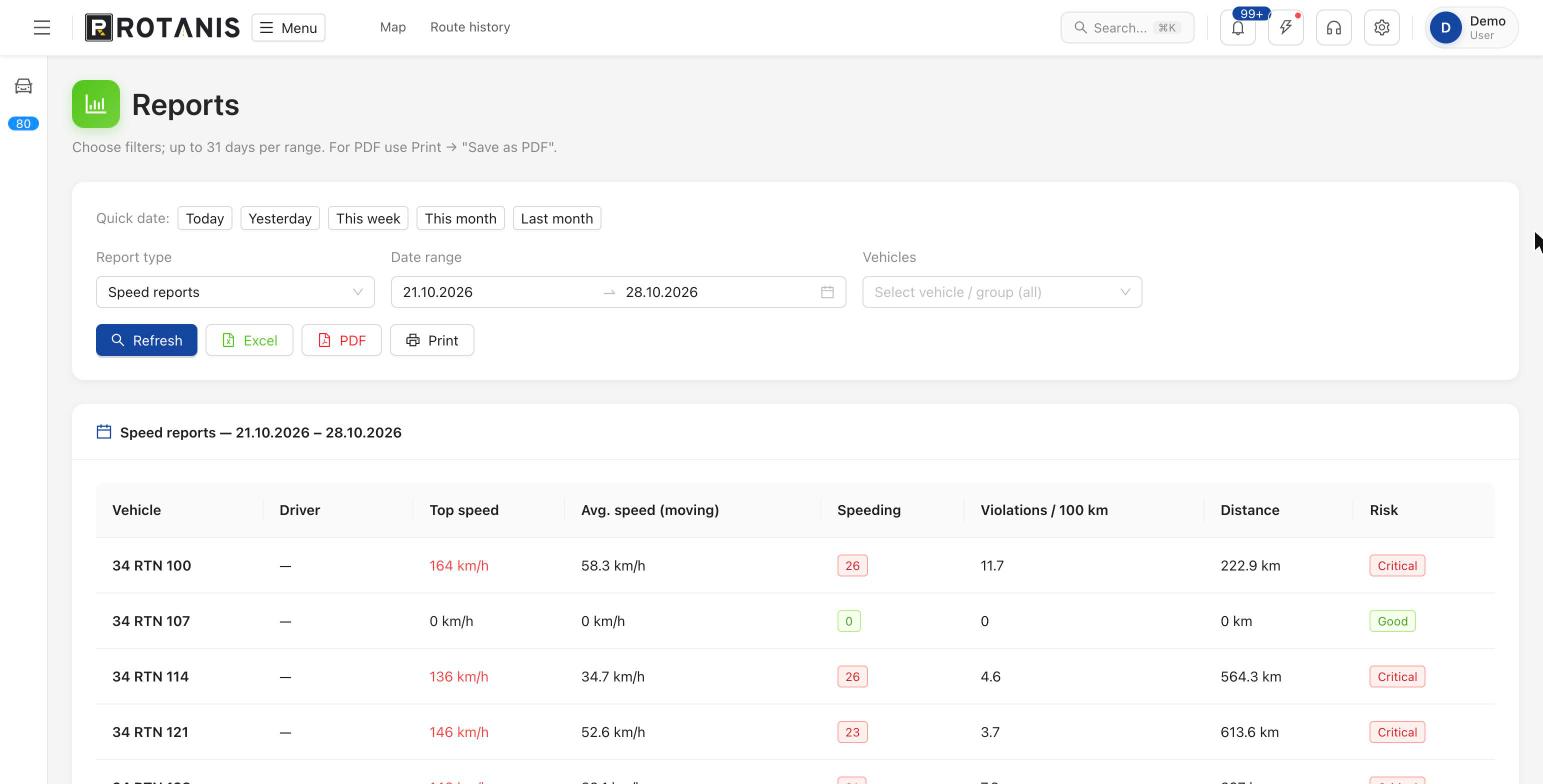
Summary reports
Km, speeding and idling per vehicle; fleet-wide averages.
Speed reports
Top and average speed, number of violations, violations per 100 km and risk level.
Daily activity
Movement, stop and ignition times for each vehicle during the day.
Ignition report
Ignition on and off times and the last ignition address.
Idling report
Where and for how long vehicles waited with the engine running.
Route and trip details
Route usage, distance and duration per trip.
Out-of-hours report
Vehicles used outside defined working hours.
Temperature chart
A time chart of cargo temperature for vehicles with sensors.
Excel, PDF, print
Quick date selection (today, yesterday, this week, this month) and one-click export.
Fleet leaders and driver scoring
Ranked lists of the vehicles with the most distance, the highest speed, the most violations and the most idling in the selected period.
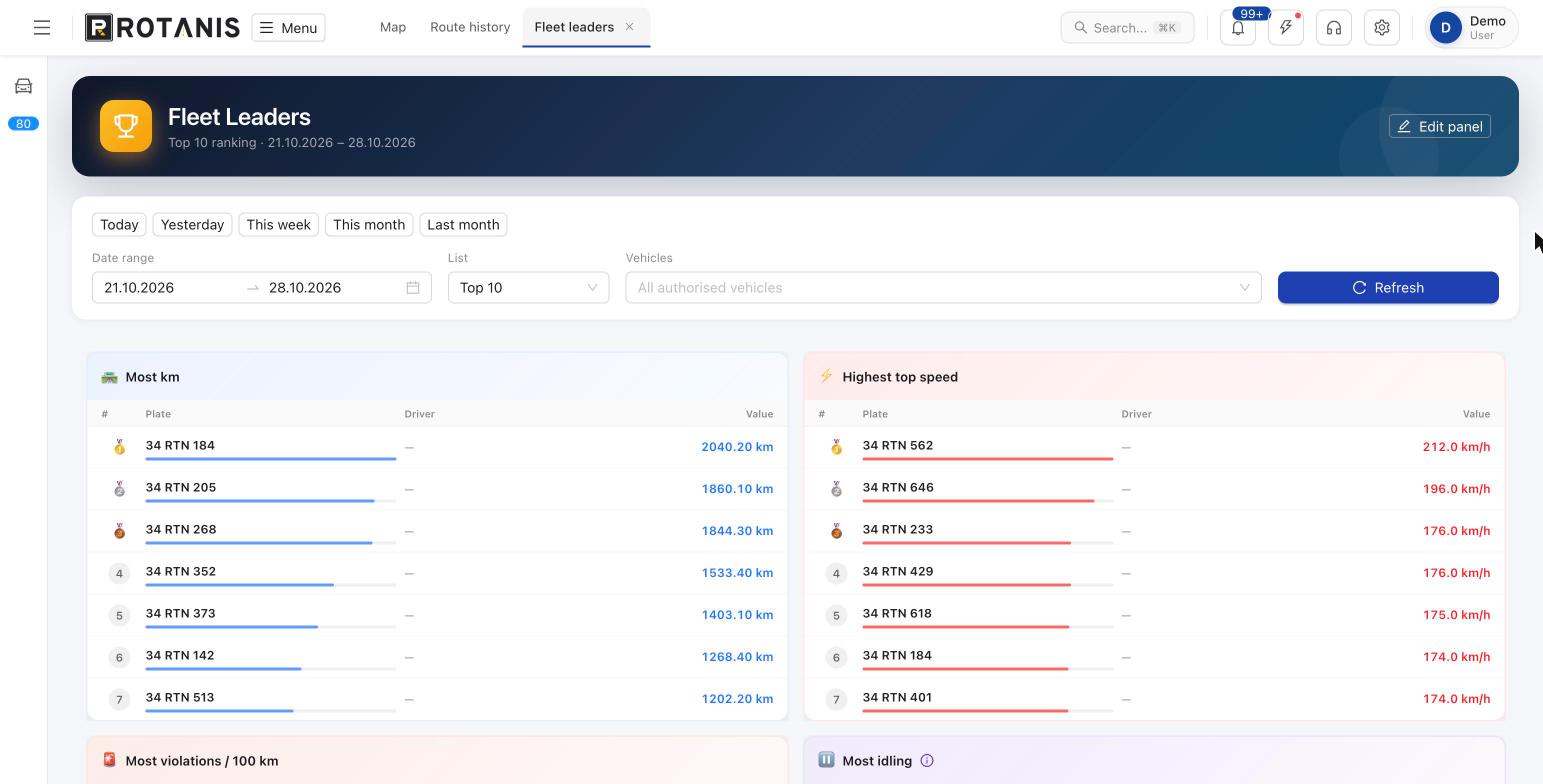
Fleet leaders
Most km, highest top speed, most violations per 100 km and most idling.
Driver performance dashboard
Calculated performance data and score per driver.
Drivers
Driver list and vehicle assignments.
Driver reports
Distance, violation and time reports per driver.
Zones, visits and working hours
Mark areas such as depots, delivery points or customer sites on the map and assign working hours to vehicles.
Zones
Draw and name an area on the map; the same boundaries are used on the live map.
Visit points
Save customer and branch addresses and see visit reports.
Working hour profiles
Define working hours and assign them to vehicles.
Out-of-hours use
Report vehicles moving outside working hours.
Fleet cost management
Track insurance, maintenance, fuel and expenses on one screen; enter toll fees manually or let smart calculation find them.
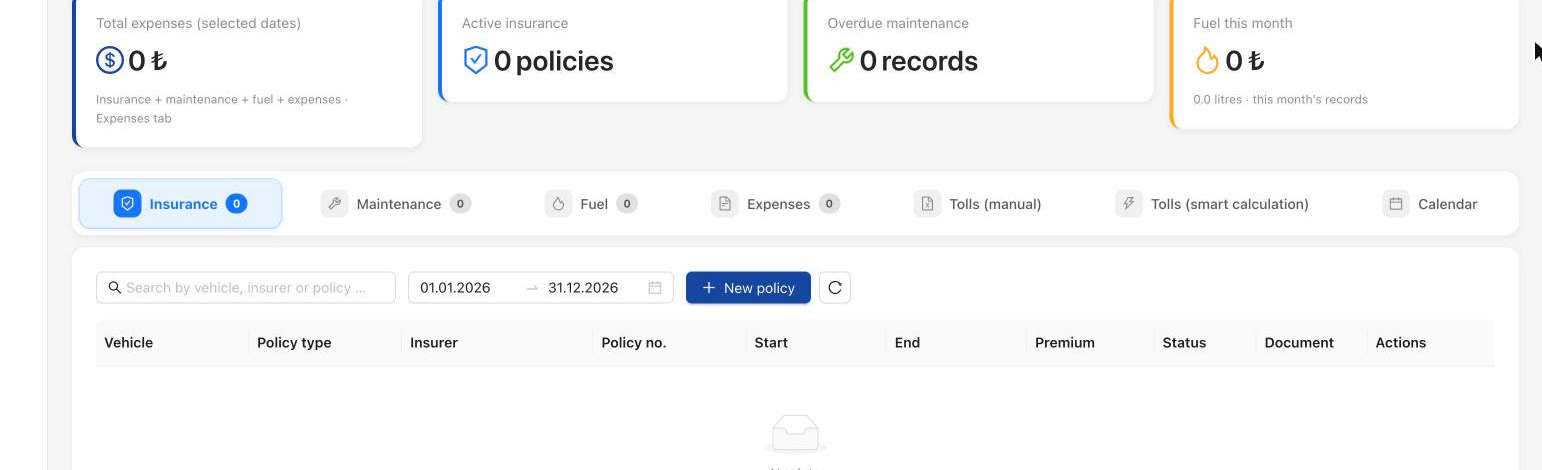
Insurance
Policy type, insurer, start and end date, premium and documents.
Maintenance
Maintenance records and overdue services.
Fuel
Monthly fuel spend and records by litre.
Expenses
Other vehicle expenses in one list.
Smart toll calculation
Toll passes are detected from route data and the fee is estimated.
Calendar
Policy, maintenance and inspection dates in a calendar view.
Integrations and administration
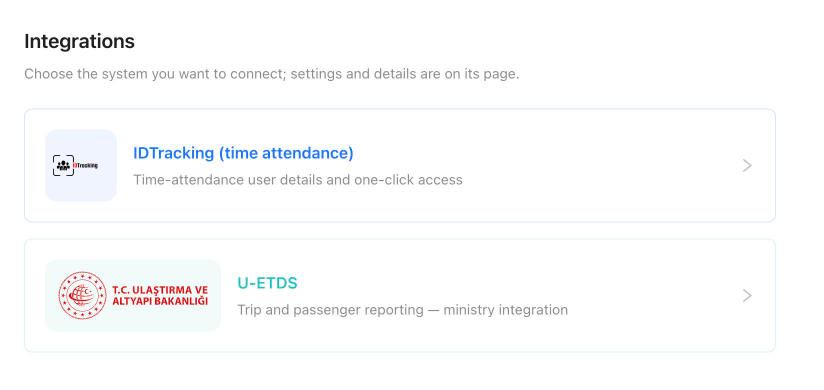
U-ETDS and time-attendance integrations, user permissions, a support centre and an AI assistant on the same platform.
U-ETDS
Trip and passenger reporting, ministry integration (Turkey).
Time attendance (IDTracking)
Time-attendance user details and one-click access.
Users and permissions
Unlimited users; vehicle and screen permissions for each.
AI assistant
Ask questions about your fleet on the platform by typing or by voice.
Support and updates
Help articles, support requests and announcements.
See the platform with your own fleet
Contact us for a demo account and a quote; we will go through the screens that fit your business together.
- Free site survey and advice
- On-site installation
- Web platform and mobile app